Reuse your rules
Save delimiter, selected columns and cleanup settings. Import the rules for next month’s file with the same headers.
FOR RECURRING CONTACT-LIST IMPORTS
Check repeated customer-list exports before importing them: trim spaces, remove exact duplicate rows and keep missing or conflicting values visible. Save your rules for the next file with matching columns.
WORKED EXAMPLE · FICTIONAL CONTACT LIST
Selected rules: trim edge whitespace, remove exact duplicate rows, require email, flag basic email syntax and check customer IDs. These outputs were calculated with the toolkit’s cleanup engine.
| ID | Name | |
|---|---|---|
| 001 | ␣Ada Chen␣ | ada@example.test |
| 001 | Ada Chen | ada@example.test |
| 002 | Bo Li | bo@ |
| 003 | Cora Sun | blank |
| 002 | Bo Li | bo@example.test |
␣ marks a leading or trailing space in the example.
| ID | Name | |
|---|---|---|
| 001 | Ada Chen | ada@example.test |
| 002 | Bo Li | bo@ |
| 003 | Cora Sun | blank |
| 002 | Bo Li | bo@example.test |
Highlighted records remain in the output for review.
bo@ remain unchanged. Fix them from verified information before importing.AI-assisted creation. Fictional example; no customer results are claimed. Email syntax checks do not verify deliverability. UTF-8, up to 2 MB / 10,000 rows.
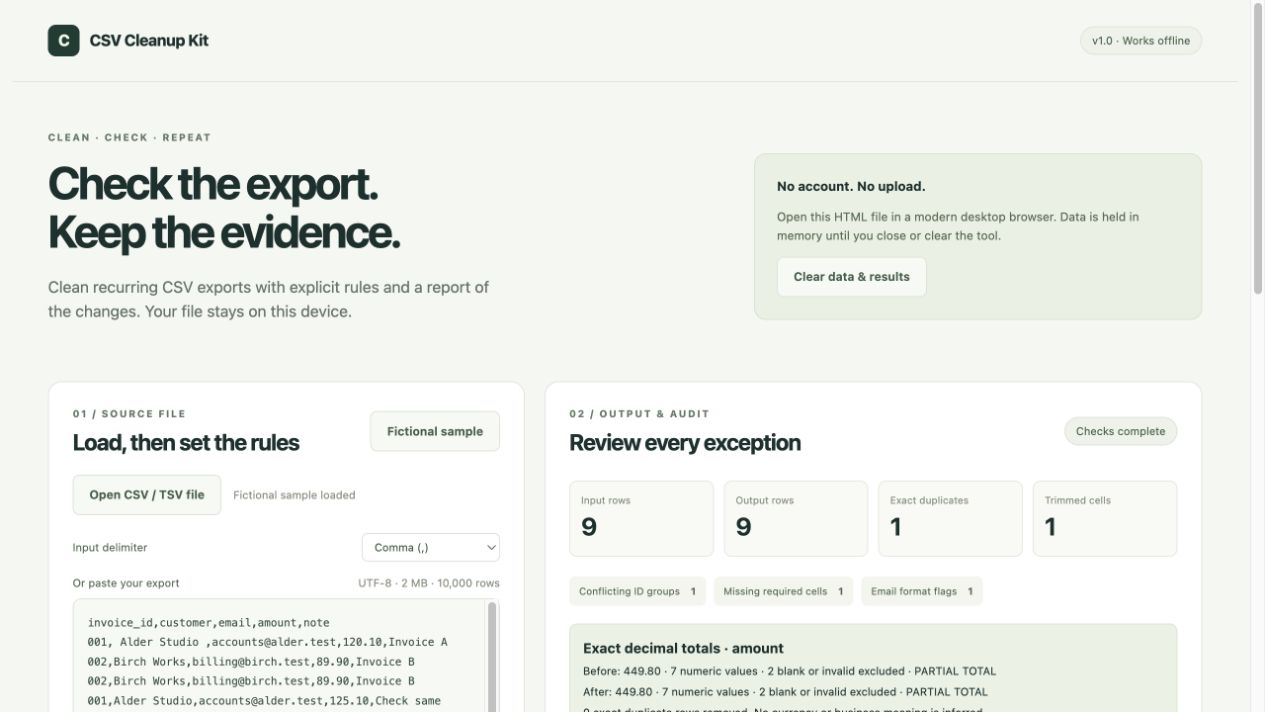
Save delimiter, selected columns and cleanup settings. Import the rules for next month’s file with the same headers.
Find different records with the same identifier. Flag missing required values and basic email format issues. Nothing is guessed.
Download cleaned CSV, a full issue log and JSON audit report. Exact decimal totals make changes in selected amounts visible.
WHAT YOU RECEIVE
An offline package; no hosted software account.
The free demo handles comma-separated CSV, whitespace, exact duplicates and a numeric total. The toolkit adds a self-contained offline file, file import, semicolon / tab input, reusable rules, conflicting identifier flags, required-value checks, basic email format flags and an issue CSV. It includes a guide and expected sample outputs.
The tool reads your selected file in memory and exports a separate output. It has no network requests, analytics or external scripts. Keep your original export and review every exception before using the result.
UTF-8 CSV / TSV up to 2 MB and 10,000 data rows, with unique nonempty headers. Choose comma, semicolon or tab. Numbers must use dot decimals, without grouping, currency symbols or exponents. Other formats need preparation before import.
It flags syntax and reports arithmetic under the rules you choose. It does not certify accounting or tax correctness, validate business meaning, confirm email deliverability or choose which conflicting record is right.
Core checks cover parsing, exact decimals, duplicate and conflict handling, missing values, rule validation and guarded exports. The interface has been checked in the Codex in-app browser. Each product version lists its validation in the guide. No paid customer results or other browser compatibility are implied.